Gaia-X Credentials Integration
Onboarding to Gaia-X
The Fast Track Onboarding Application automatically creates a Digital ID for your organization, based on the Gaia-X Loire Ontology and Gaia-X Identity, Credential and Access Management (ICAM) Document. The Credentials generated by the Fast Track Onboarding Application are verified against the Gaia-X Digital Clearing House (GXDCH) and stored in the application's database. They can be retrieved via an URL or directly as raw JSON Web Tokens (JWT).
Credential Creation
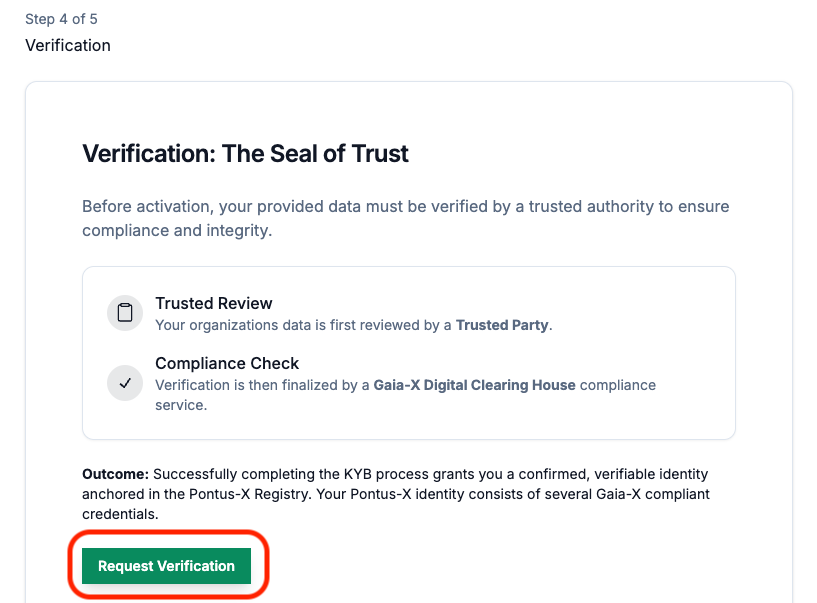
After successfully completing the last step of the Onboarding Walkthrough, the verification of your organizations identity, the onboarding application automatically starts to issue and request the Gaia-X Participant Credentials.
This process can only be completed successfully if you did provide the right information, according to the Gaia-X specifications, during the onboarding procedure.
If the information is incomplete, contains errors, or legal registration numbers not supported by the Gaia-X standard, the process will not be completed successfully and no Gaia-X Participant Credentials are made available.
However, you can restart the process by updating the information and requesting a new validation in step 4 of 5. Once approved, the identity issuance process will restart.
Credential Dashboard
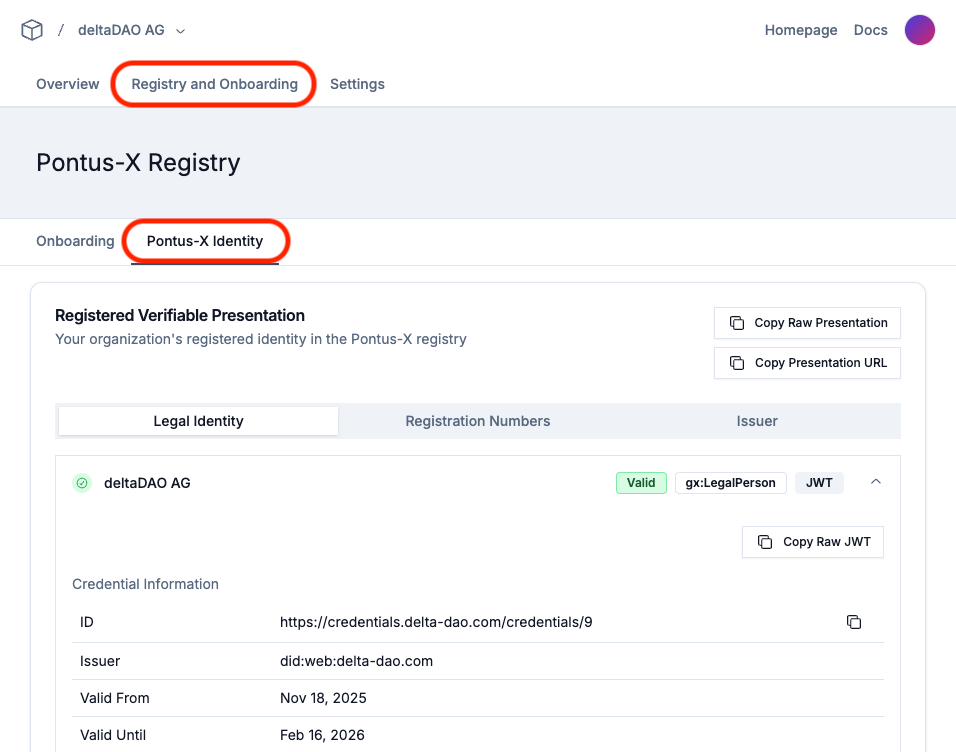
After successful creation, validation, and storage of your organizations Gaia-X Participant Credential you are able to access the Credentials through the "Registry and Onboarding/Pontus-X Identity" Dashboard of the Onboarding Application.
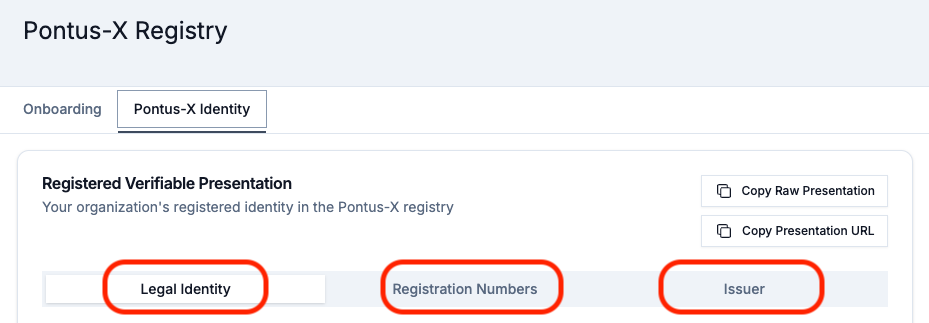
The dashboard will present you three tabs for the Legal Person Credential "Legal Identity", the Legal Registration Numbers "Registration Numbers", and the Terms and Conditions Credential "Issuer".
From here you can inspect the different Gaia-X Credentials added to the Pontus-X ecosystem registry and access them for further usage and self-sovereign verification against Gaia-X Digital Clearing Houses (GXDCH).
The Credentials, once created, are also stored in a Pontus-X Registry entry in the form of a smart contract (NFT) and issued to your address in the Pontus-X networks to be publicly resolvable for verification in the ecosystem explorer, portals, catalogue, etc.
Participant Verifiable Presentation (VP)
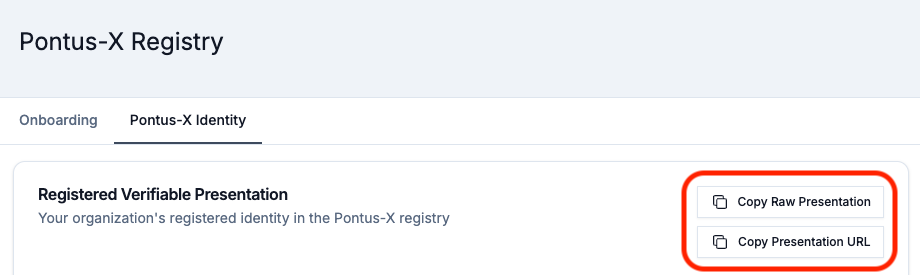
The complete Participant ID, in the form of a Gaia-X Participant Verifiable Presentation (VP), can be retrieved using the tabs "Legal Identity", "Registration Numbers", and "Issuer" at the very top. Use the the options "Copy Raw Presentation" and "Copy Presentation URL".
If you click on "Copy Raw Presentation" the raw JWT payload, containing all Enveloped Verifiable Credentials (EVCs), will be copied to your clipboard. This JWT encoded payload can be directly used to verify the identity against any of the Gaia-X Digital Clearing Houses (GXDCH) Compliance Services through the respective "Standard Compliance" endpoints.
Note: Please note that the Verifiable Presentation is signed by the Onboarding Application Provider. To be fully self-sovereign, i.e., as a service provider, you must self-sign these credentials using own tooling currently not available in the onboarding application.
Legal Person (LP)
The Gaia-X Legal Person (LP) Credential can be accessed through the "Legal Identity" tab of the "Pontus-X Identity" section. You can inspect all the attributes in this screen, directly access the Verifiable Credential (JWT) through "Copy Raw JWT", or copy the link to the VC to your clipboard with the copy button next to the ID of the credential.

Terms (Issuer)
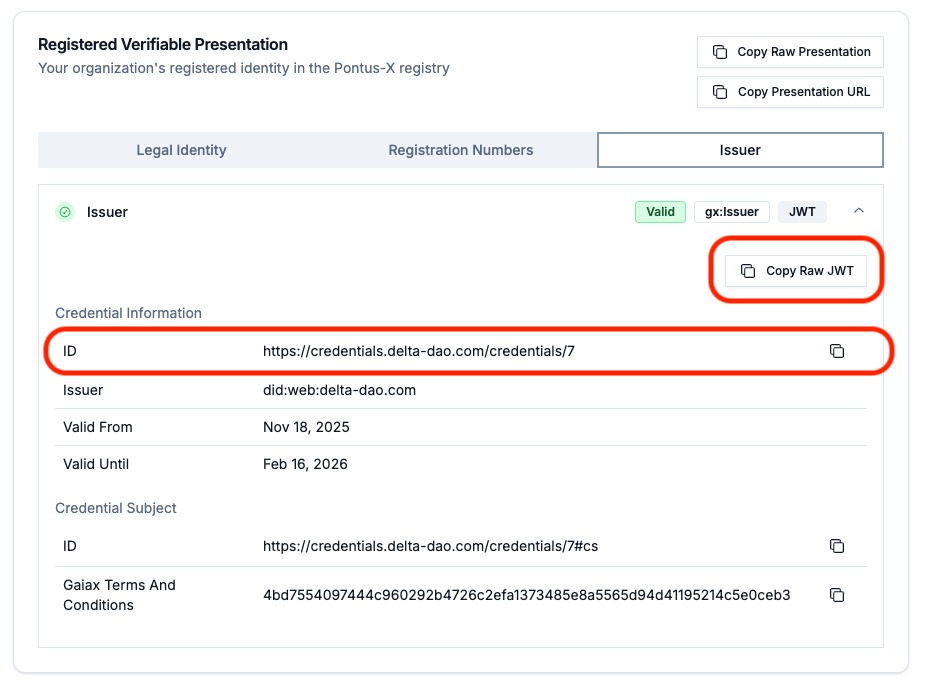
The Terms and Conditions Credential, called the "Issuer Credential" can be accessed through the "Issuer" tab of the "Pontus-X Identity" section. As with the LP Credential, you can copy either the JWT payload or the link to the stored credential.
Legal Registration Number (LRN)
After successfully completing the last step of the Onboarding Walkthrough, the verification of your organizations identity, the onboarding application automatically requests a Gaia-X Legal Registration Number (LRN) Credential from the GXDCH Notary Service using the provided and verified Legal Registration Number. This process will only succeed if the Legal Registration Numbers can be verified by the GXDCH, otherwise the process will fail and no Gaia-X Participant Identity will be created.
In case you did provide several Legal Registration Numbers, all of them will be used to request a Gaia-X LRN Credential for your Gaia-X identity.
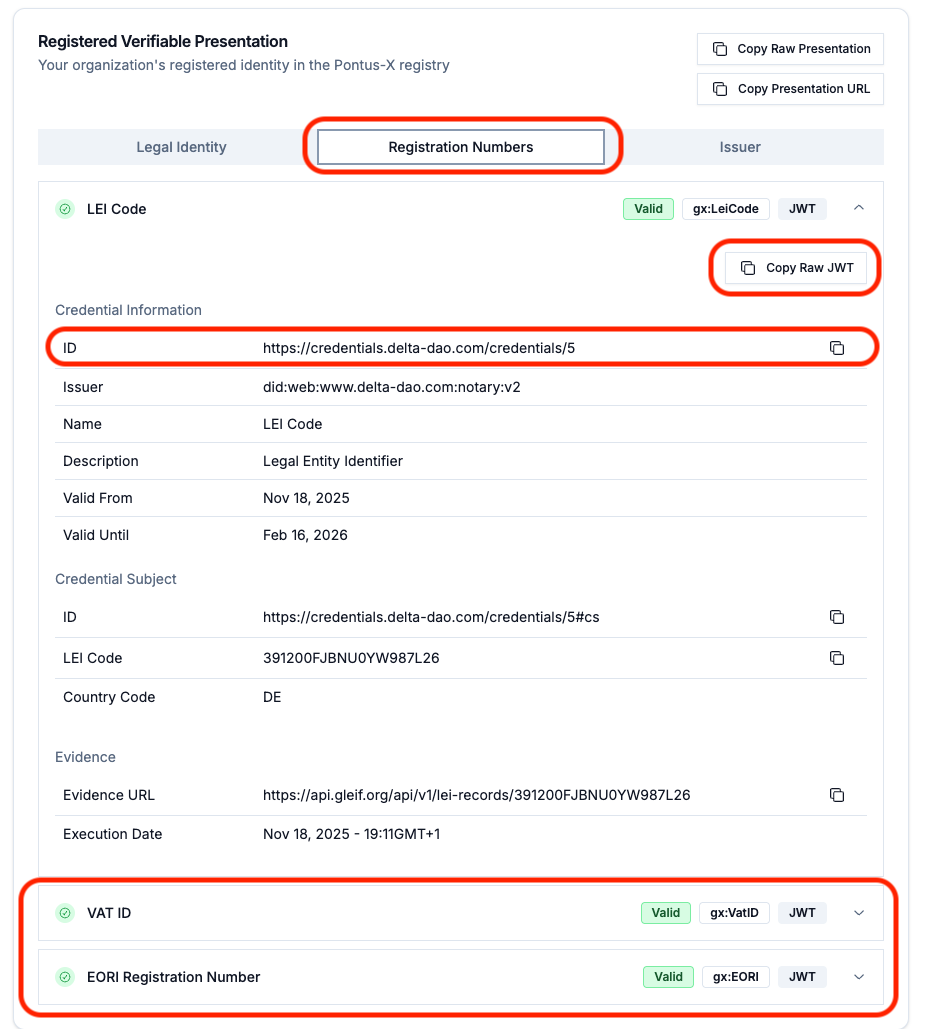
The Legal Registration Number (LRN) Credentials can be accessed through the "Registration Numbers" tab of the "Pontus-X Identity" section. As with the LP Credential, you can copy either the JWT payload or the link to the stored credential.
In case multiple Credentials have been created, based on the information provided, all of them can be inspected while only one is linked to the Legal Person (LP) Credential. The order of linking is: 1. LEI Code, 2. VAT ID, 3. EORI. The LEI has the highest priority in the binding, because it is accepted globally.
GXDCH Verification
To verify the Gaia-X Participants for compliance with the Gaia-X Loire (v2) standard, you can use any of the available Gaia-X Digital Clearing Houses (GXDCH) v2 "Standard Compliance" endpoints of the respective Compliance Services.
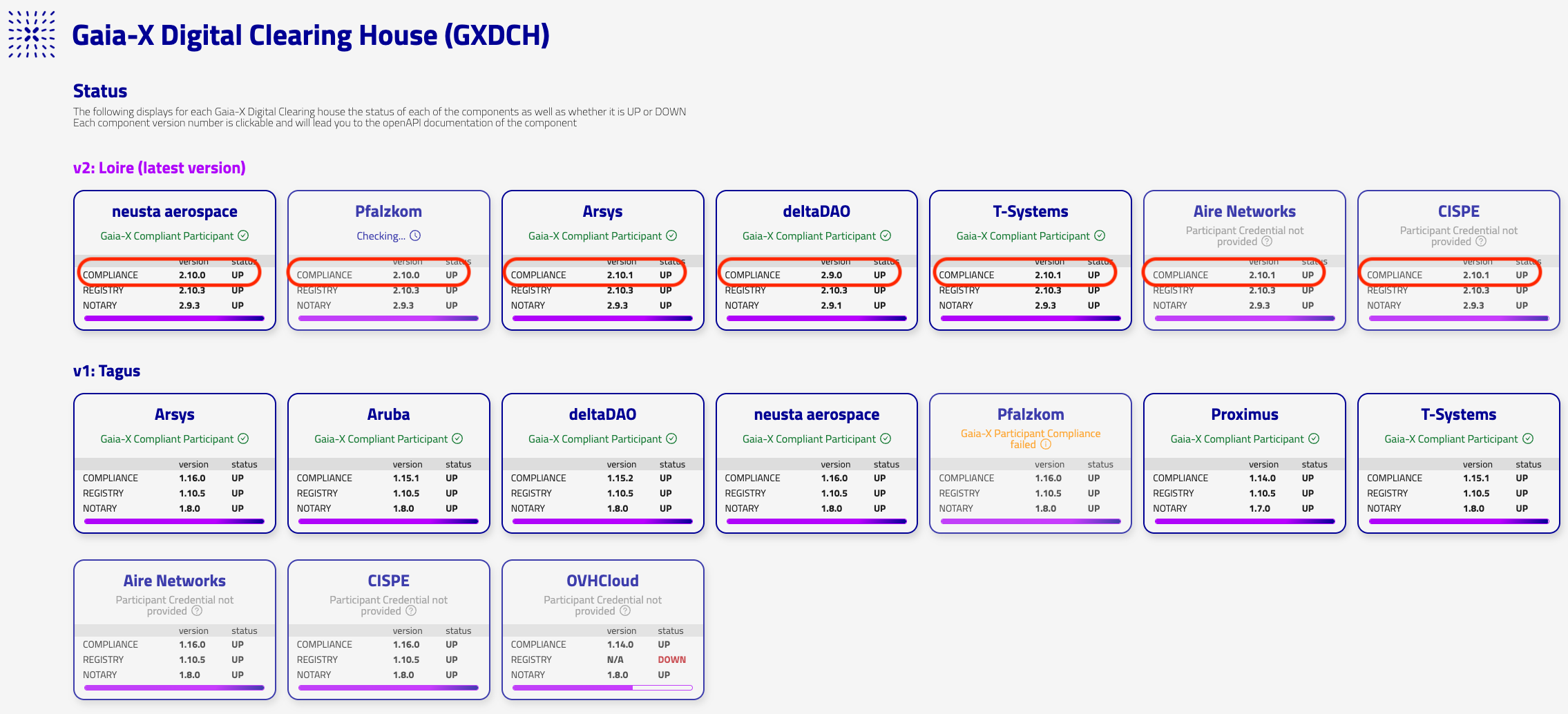
When you copy your Gaia-X Participant Identity Verifiable Presentation (VP) in the raw JWT format, you can navigate to any of the Compliance Service v2 endpoints and their respective Swagger User Interfaces.

To start the verification process yourself, you can copy and paste the JWT payload from your clipboard directly to the Standard Compliance Endpoint.

As a result of the verification of a Gaia-X Compliant Participant Verifiable Presentation, you will receive a status code 201, indicating the successful issuance of a Gaia-X Compliance Credential. This confirms that the GXDCH has checked and verified that the Gaia-X Participant Identity has been issued according to the Gaia-X standards.
You will also find a new JWT payload, containing the Gaia-X Compliance Credential, issued by the GXDCH, in the response body. This Gaia-X Compliance Credential, encoded in JWT, can be decoded following the guidelines for Credential decoding.

Credential Decoding
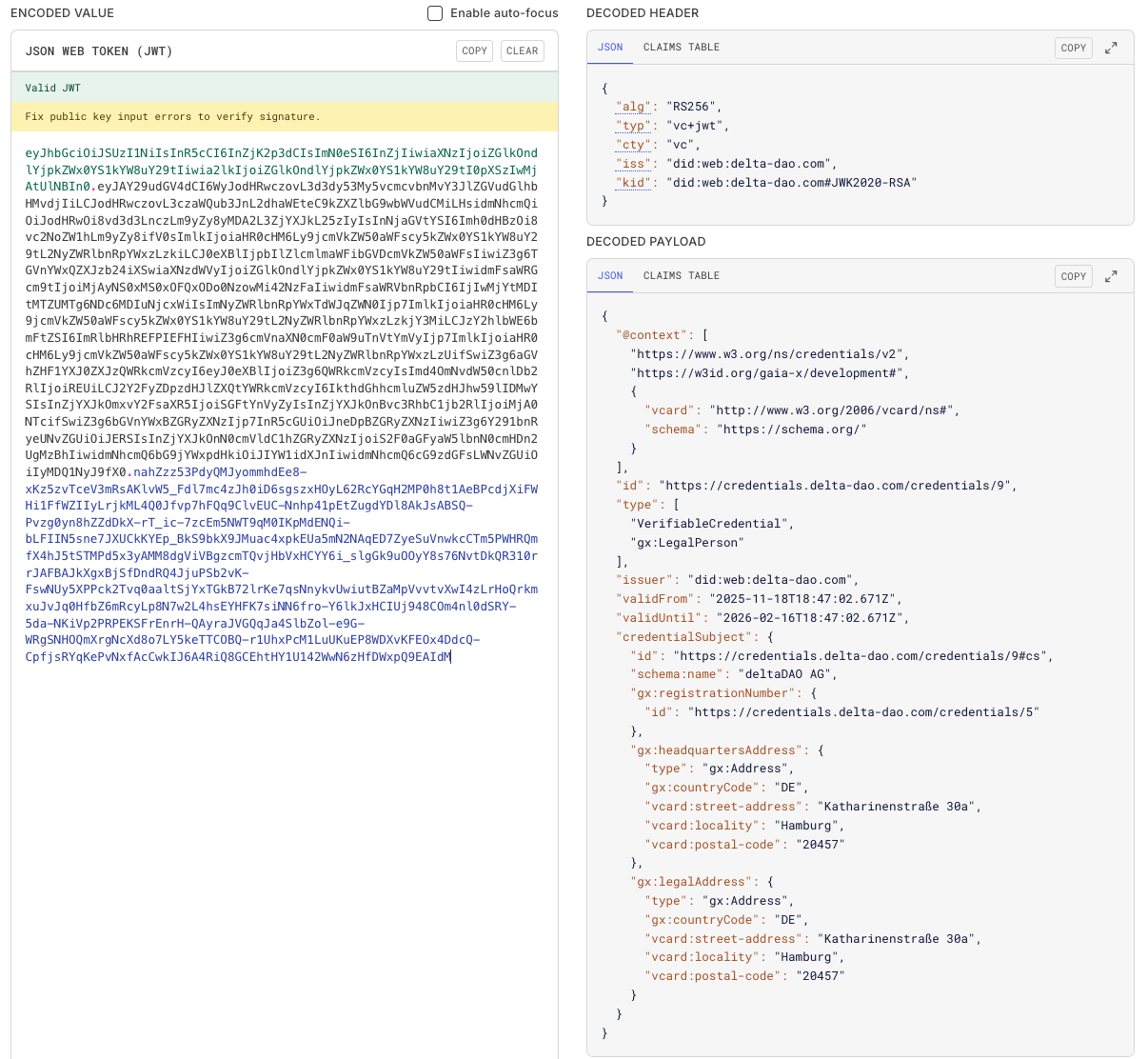
If you want to decode the JWT payloads of the Gaia-X Credentials to make them human-readable you can use any JWT Decoder, i.e., https://www.jwt.io/.
The Gaia-X Participant Verifiable Presentation (VP) contains at least three Enveloped Verifiable Credentials (EVCs), each of which must be decoded.
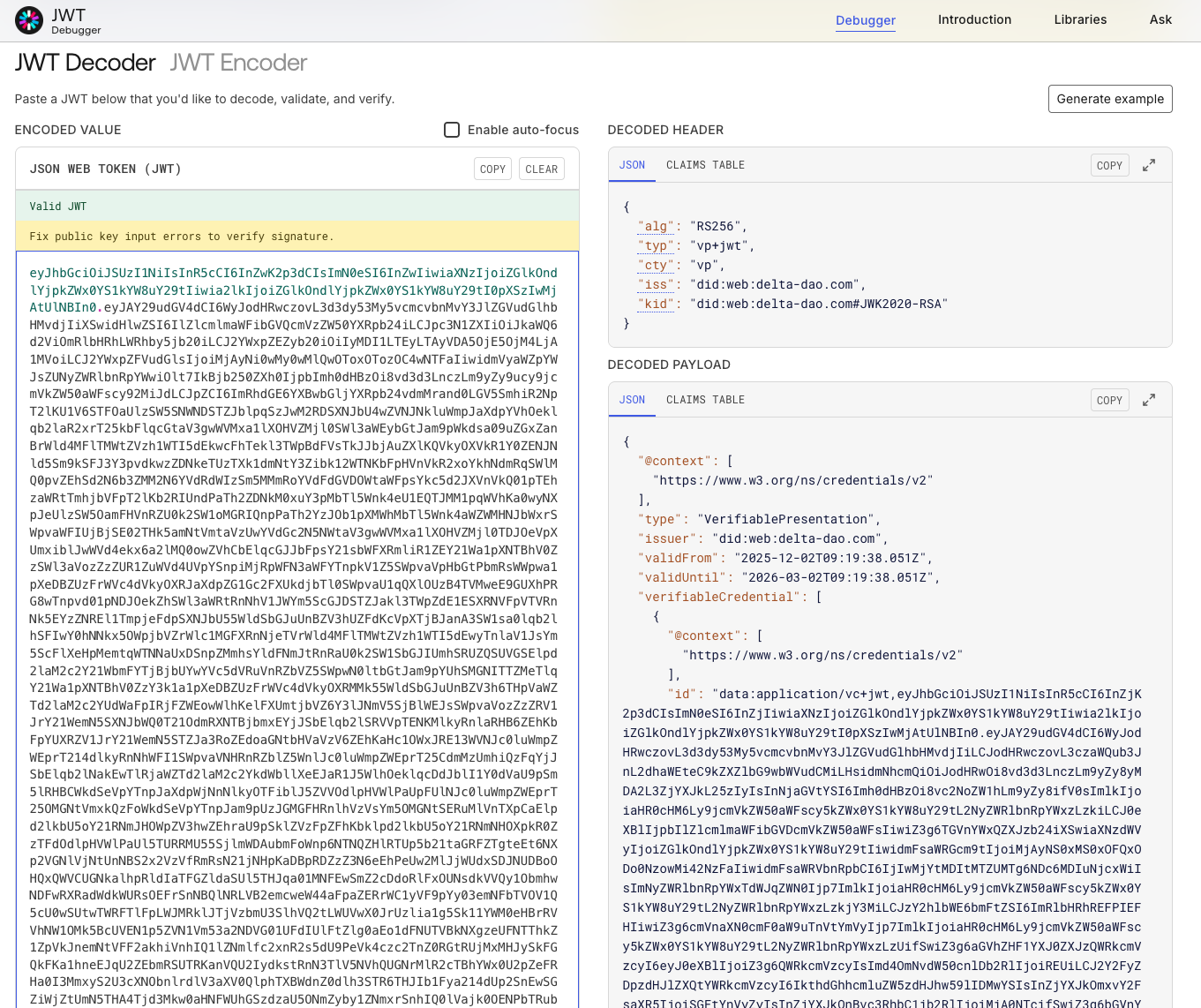
The Legal Person (LP), Issuer, and Legal Registration Number (LRN) Credentials, as individual Verifiable Credentials (VCs), can be decoded in a single step using a JWT decoder.