Profile Settings
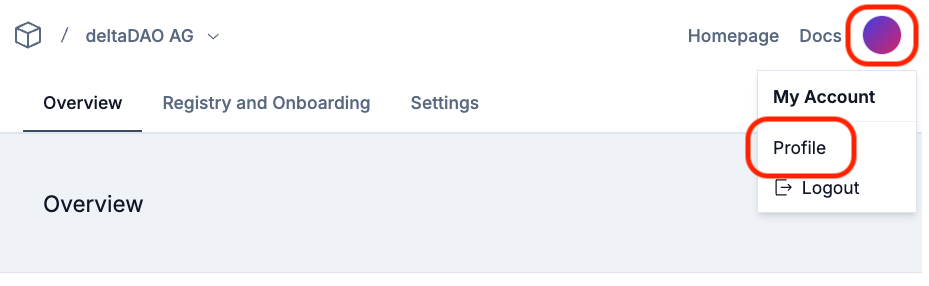
The Fast Track Onboarding Application allows the setting and management of user account and profile settings. To access the settings, please open the menu through the dot in the upper right corner and select the "Profile" option from the menu.
E-Mail Address
The "Emails" section allows you to manage e-mail addresses associated with the account.
Password
The "Password" section allows to set a login password if access codes via e-mail are not preferred. This option, although convenient, is not recommended as sole login option. Please use additional multi-factor authentification, passkeys, or security keys for higher security.
Passkeys
This section allows you to manage passkeys and to create new passkeys for login. It is recommended to avoid passwords and e-mail access code login procedures.
Security Keys
This section enables you to set up a security key for logging into the application, providing the highest level of security available.
Authenticator App
The Authenticator App section allows you to manage the authenticator app currently in use and set up a new time-based one-time password (TOTP) for multi-factor authentication (MFA). This is a recommended security measure for each account.
Session Management
Session Management allows you to check and verify the sessions connected to your profile, based on the IP address and last seen date. If you find any unusual or unexpected activity here, immediatly change your password and report the issue to the onboarding application provider.
Account Deletion
To request the deletion of your account, please send a written request to the onboarding application provider.